How to log a meal
Logging a meal in Diablesse is quick. Here's how:
1. Open a new entry
On the Diary tab, tap the + button in the bottom right corner of the screen.
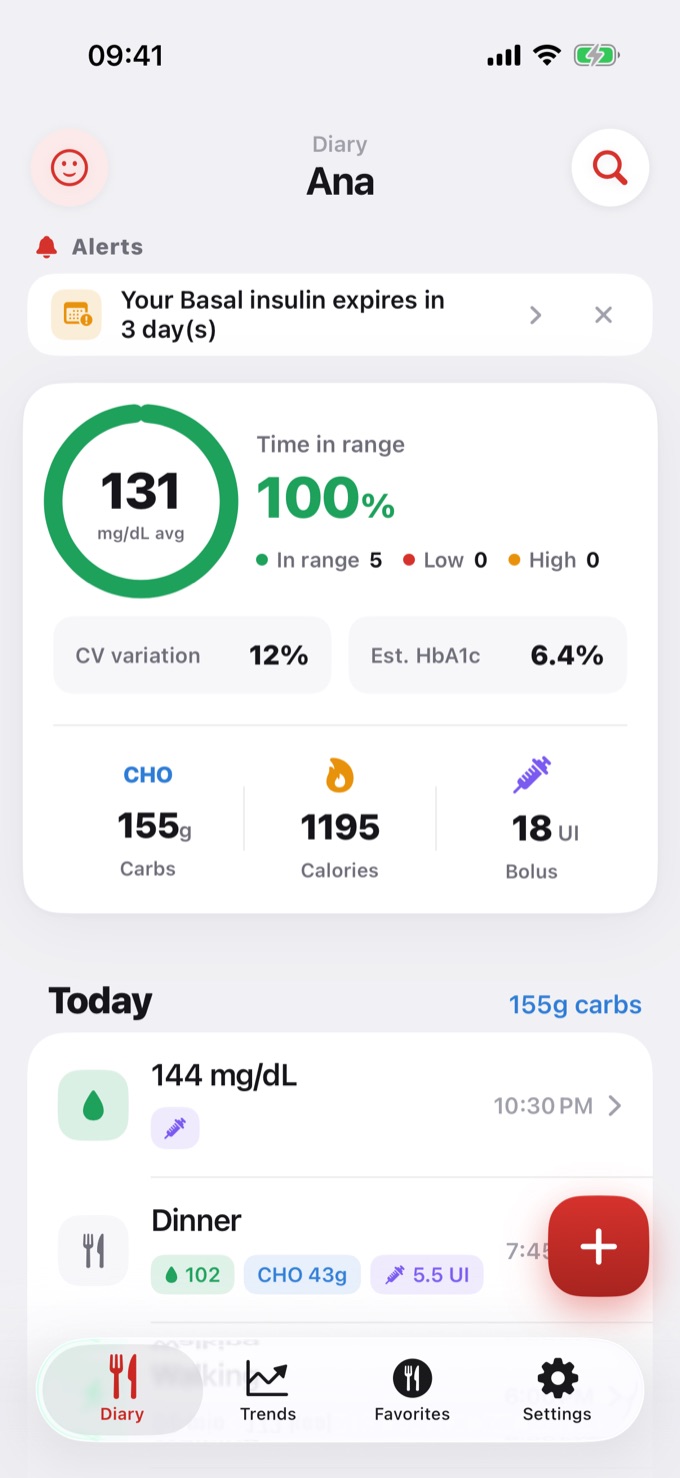
2. Enter your glucose (optional)
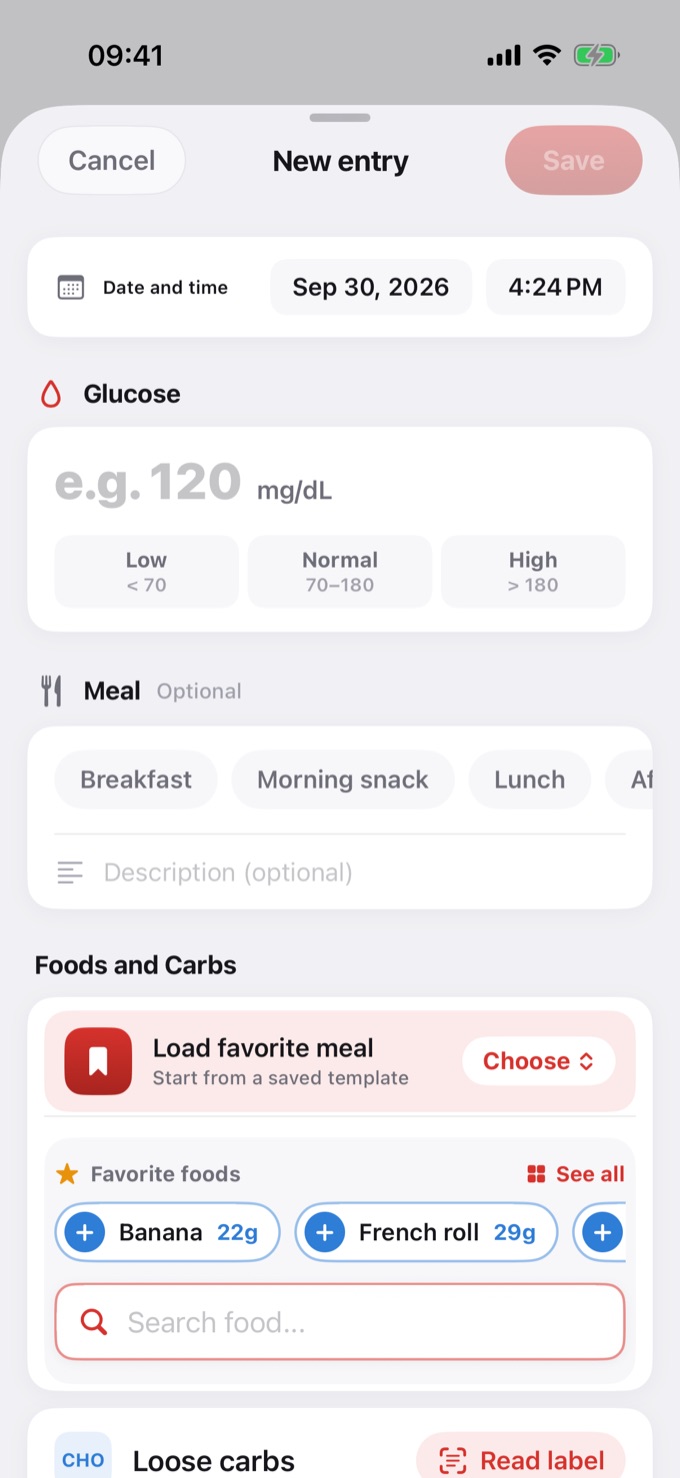
If you measured your glucose, type the value under Glucose. The range (Low, Normal, or High) is highlighted according to your glucose range settings.
3. Choose the meal (optional)
Under Meal, tap the type (Breakfast, Lunch, Dinner…). You can also add a description.
4. Search for foods
Under Foods and Carbs, type the food name in Search food... and tap the result. Your Favorite foods appear right above, to add with one tap.
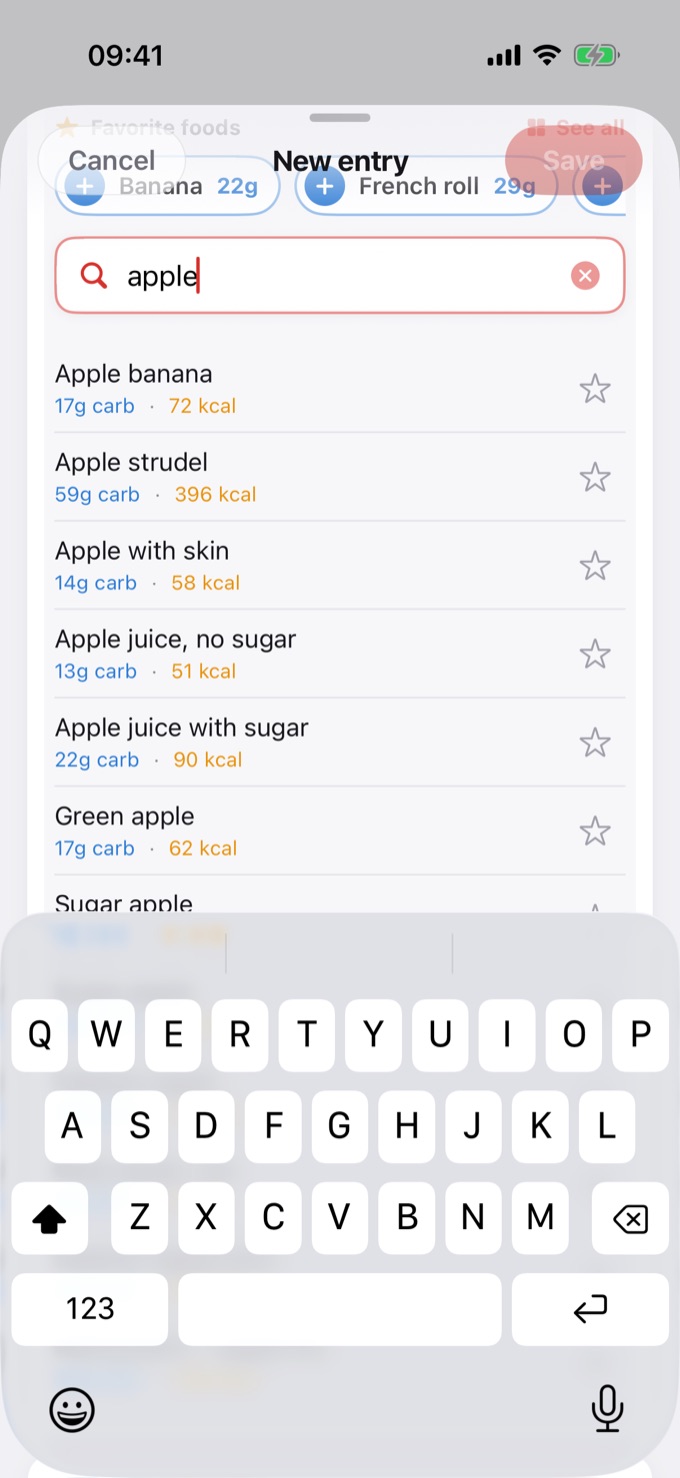
Tip: you can type just part of the name. "apple" finds "Green apple" and "Apple with skin".
Food database search and favorites are Diablesse Pro features. On the free plan, enter the grams in Loose carbs.
5. Choose the serving
Enter how much you ate under Serving (number of servings) or Amount (grams or ml) and tap Add.
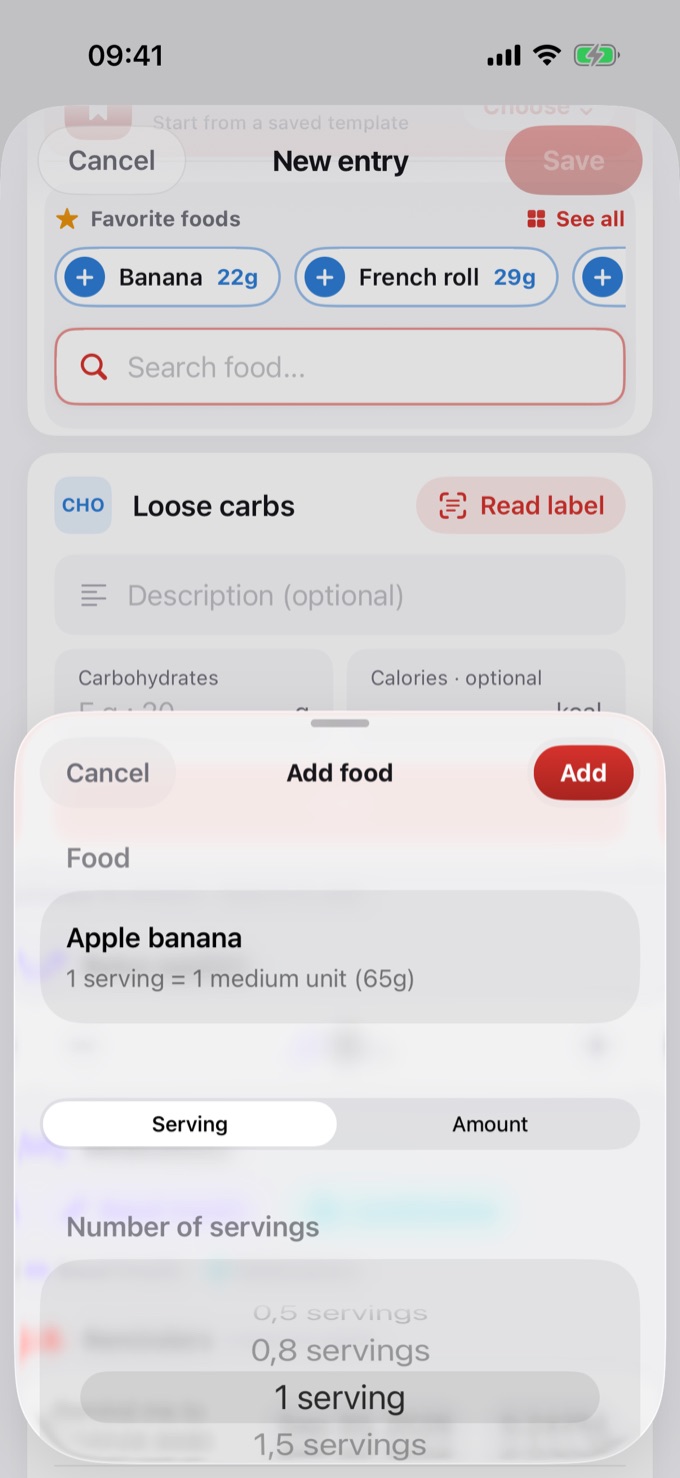
6. Add more foods
Repeat for each food in the meal. The total carbs and calories appear next to the Foods and Carbs title.
To build the whole meal at once, use a favorite meal.
7. Enter your bolus (optional)
If you took insulin, enter the dose under Bolus applied. Diablesse logs the value with the meal; it does not calculate the dose.
8. Save
Tap Save. The meal shows up in the Diary with the time, glucose, carbs, and bolus.