SettingsLanguage
Support
---
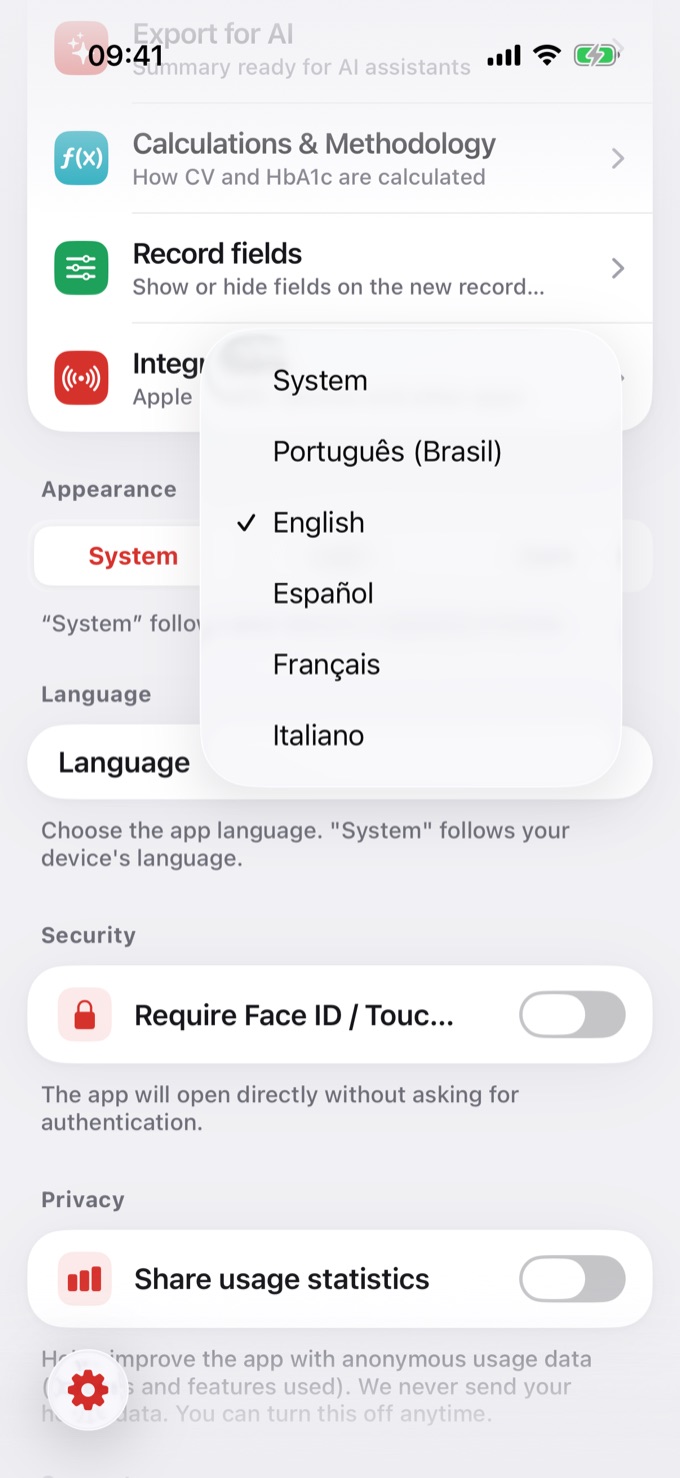
Portuguese (Brazil)
Interface + food database
---
English
Interface + food database
---
Spanish (Español)
Interface + food database
---
French (Français)
Interface + food database
---
Italian (Italiano)
Interface + food database
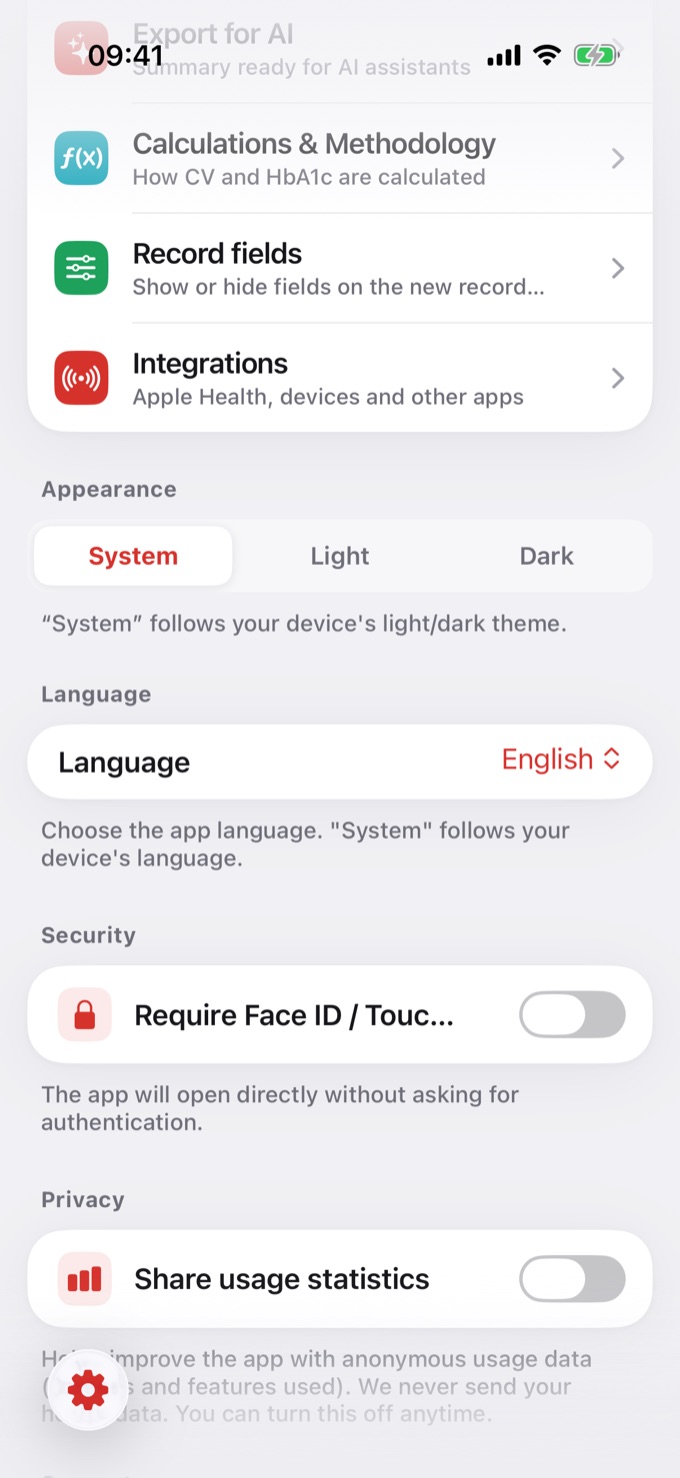
{% /table %}Go to Settings in the app's main menu
Scroll to the bottom
Find the language option
Tap it and choose your preferred language from the list Option
Behavior
---
Specific language (e.g. English, Español, etc.)
The app will be displayed entirely in the selected language
---
Same as iOS (Follow system)
The app automatically uses the same language set on your iPhone or iPad
{% /table %}The language change is immediate — no need to restart the app
The food database will reload in the new language automatically
Entries already saved in the diary are not affected by the language change
How to configure the language in Diablesse
Diablesse supports multiple languages so you can use the app in your preferred language. The food database is also adapted for each available language, ensuring that food names and nutritional information appear in the corresponding language.
Available languages
{% table %}
How to change the language
Available options
{% table %}
💡 Recommendation: If you use your device in multiple languages or switch frequently, the "Same as iOS" option is the most convenient. Otherwise, choose a fixed language for a consistent experience.
Important to know
Contact the developer — I reply personally.
Help Center →