How to customize the entry fields
To log faster, you can hide the fields you don't use. When adding an entry, you only see what matters to you.
Where to find it
Open Settings and tap Record fields.
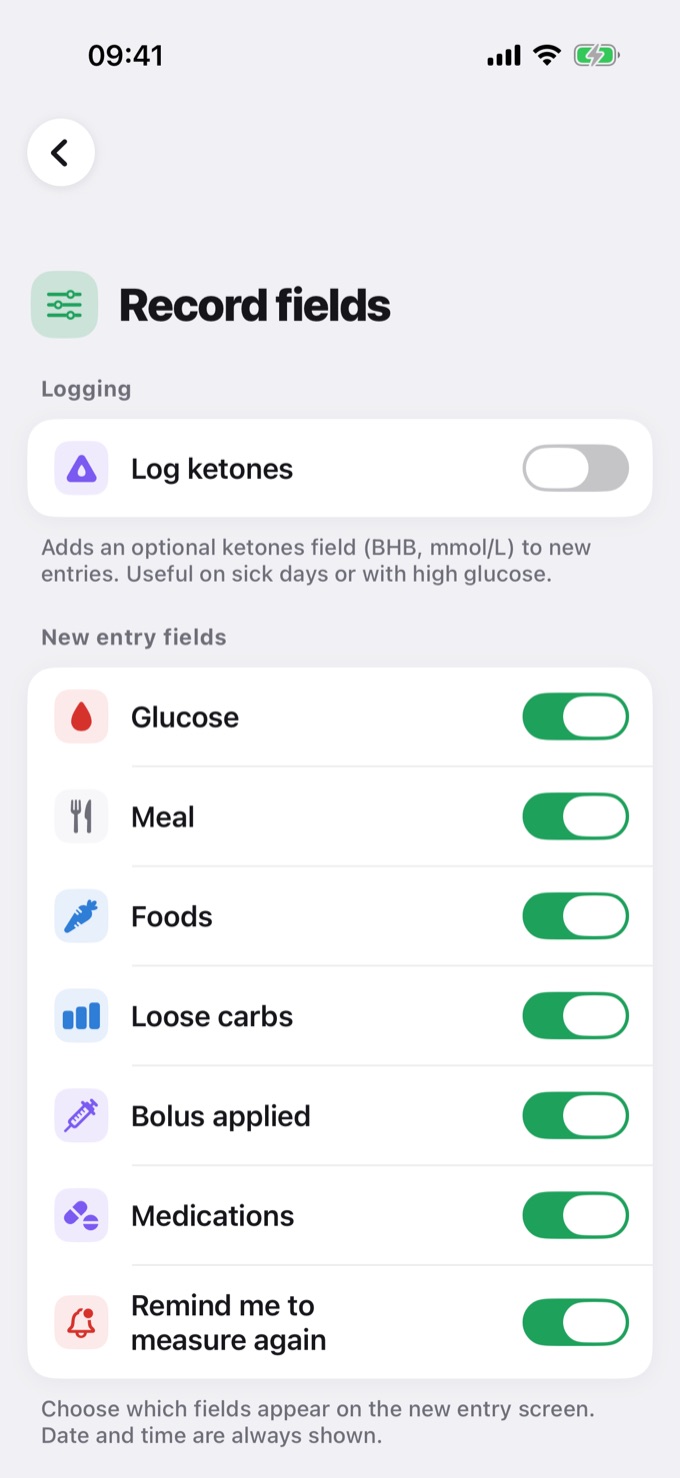
Fields you can show or hide
Under New entry fields, turn each field on or off:
- Glucose
- Meal
- Foods
- Loose carbs
- Bolus applied
- Medications
- Remind me to measure again
Date and time are always shown.
Above them, the Log ketones option adds a ketone field (BHB, mmol/L) to new entries. It's useful on sick days or when your glucose is high.
Changes apply right away: there's nothing to save.
Practical example
| If you... | You can hide |
|---|---|
| Don't use insulin | Bolus applied |
| Don't count carbs | Foods and Loose carbs |
| Don't log medications with your glucose | Medications |
| Only want to note your glucose | All the other fields |
💡 Tip: you can show a field again anytime on this same screen. Hiding a field doesn't delete past entries; it only changes what appears in new ones.