Help Center
Data & Security

How to transfer your data between iOS and Android devices

How to transfer your data between iOS and Android devices

How to transfer your data between iOS and Android devices

If you're switching from one operating system to another (iOS to Android or Android to iOS), it's important to know that the information you've logged in the Diablesse app is not transferred automatically between devices. To keep all of your data, you'll need to perform a manual backup and restore.

Don't worry: the process is simple and quick. Just follow the step-by-step guide below.

---

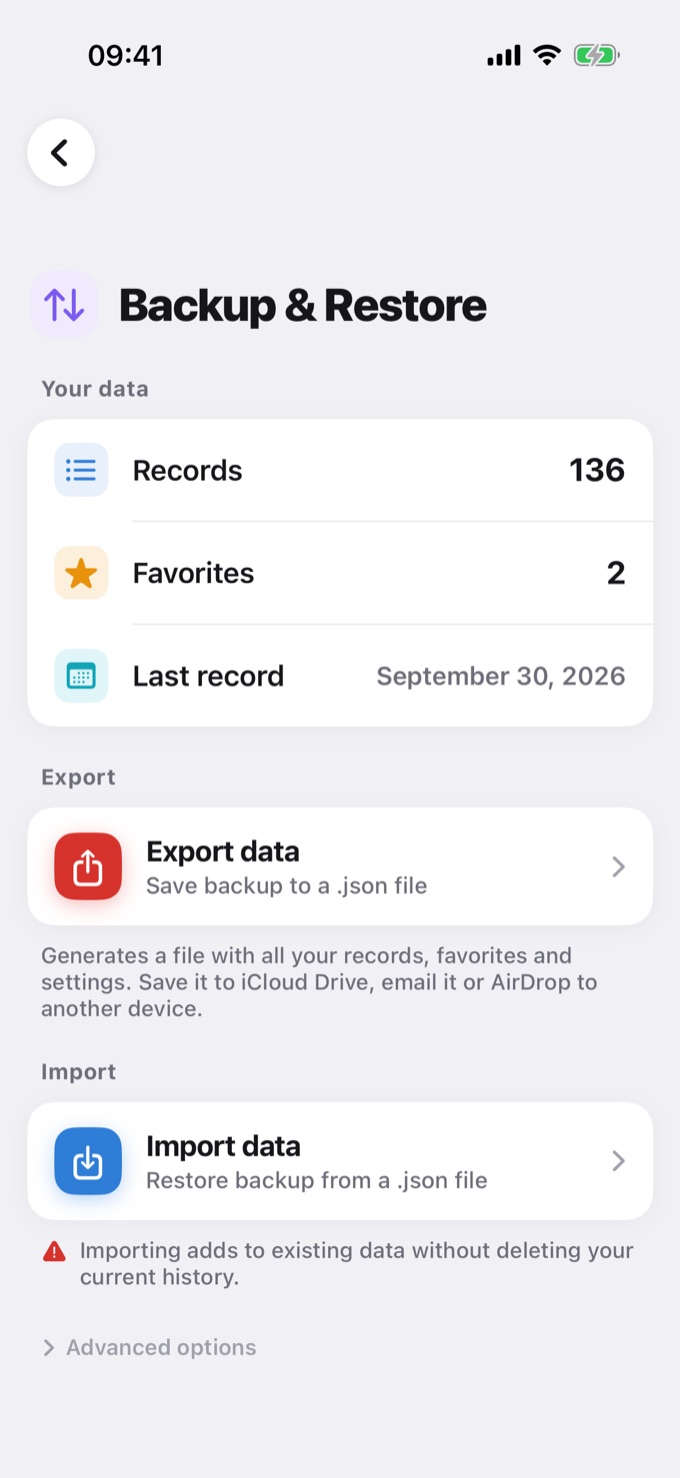
Step 1: Export the data from your old device

  • Open the Diablesse app on your old device.
  • Go to the Settings menu.
  • Tap the Backup & Restore option.
  • Select the Export Data button.
  • The app will generate a file in JSON format containing your entire history and settings. This file works as a complete backup.
  • Choose where to save the file β€” you can store it on Google Drive, iCloud, the device's internal files, or any other available storage service.
  • βœ… Tip: Save the file somewhere easy to access, such as a cloud service, to make recovery on the new device easier.

    ---

    Step 2: Import the data on your new device

  • On the new device, install the Diablesse app and sign in with the same account.
  • Go again to Settings > Backup & Restore.
  • This time, tap the Import Data button.
  • Locate the JSON file you saved in the previous step (remember it must be available on the new device β€” if you saved it to the cloud, download it first).
  • Select the file and confirm the import.
  • That's it! All your data will be restored automatically, and the Diablesse app will look exactly as it did on your old device.

    ---

    Important notes

  • The JSON file contains all of your personal information and usage records. Keep it in a safe place and do not share it with third parties.
  • Make sure both devices have the latest version of the Diablesse app installed to ensure compatibility.
  • If you run into any trouble during the process, our support team is here to help.
  • ---

    With this procedure, your transition between systems will be smooth and you won't lose any important data. πŸ’œ

    Contact the developer β€” I reply personally.

    Help Center β†’