Clear all records (reset the diary)
Want to start your diary from scratch? Diablesse has an option to delete all your records at once. It's a powerful, permanent action, so it's protected and requires your confirmation.
⚠️ This action is irreversible. Before you continue, we recommend exporting a backup (see below).
What is deleted
- All diary records: glucose, meals, bolus, workouts, and sleep
- Your favorites and your favorite foods list
What is not deleted
- Settings and profile
- Goals (such as the glucose range)
- Reminders and registered medications
Note: the deletion is synced
The cleanup is synced via the cloud: records disappear on all devices connected to the same account — not just the one you're using.
How to use it
- Open Settings → Backup & Restore.
- Scroll to the bottom and tap Advanced options (collapsed by default).
- Tap Clear all records.
- Read the warning and confirm with Delete everything.
- Confirm your identity with biometrics or your device passcode. If you cancel at this step, nothing is deleted.
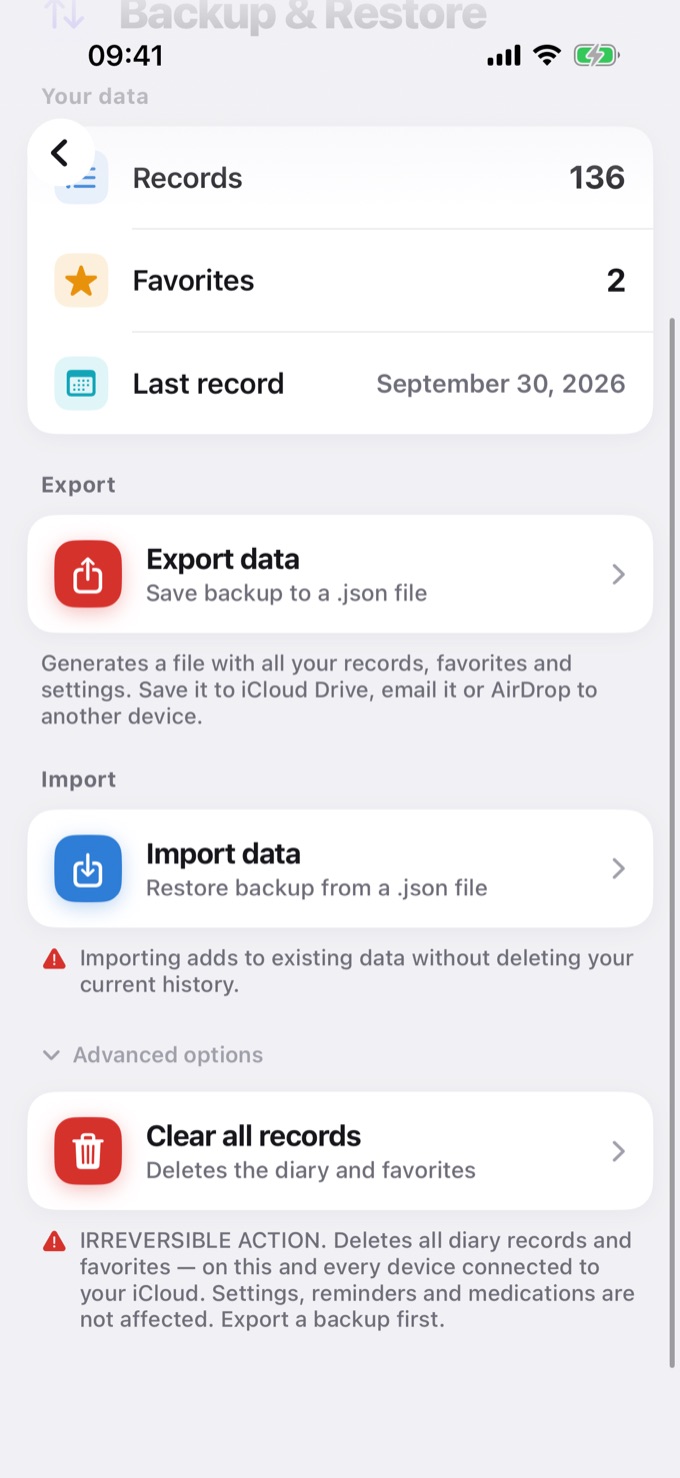
💡 Make a backup first. On the same screen there's an Export data option that generates a
.jsonfile with your entire history. That way, if you change your mind, you can import it back.
Prevent health data from coming back
If the Apple Health (on iOS) or Health Connect (on Android) integration is active, your health data (glucose, workouts, and sleep) may be re-imported on the next sync. To prevent that, turn off integrations in Settings → Integrations before clearing.
ℹ️ For the confirmation step, you need biometrics or a passcode set up on your device.
Frequently asked questions
Can I undo it?
No. The action is irreversible. The only way to recover is to import a backup you exported beforehand.
Does it also disappear on my other devices?
Yes. Since the deletion is synced via the cloud, records disappear on all devices connected to the same account.
Why did my health data come back?
Because the Apple Health (iOS) or Health Connect (Android) integration was active and re-imported glucose, workouts, and sleep during sync. Turn off integrations before clearing to avoid this.
Are my settings and medications also deleted?
No. Profile, goals, reminders, and medications are not deleted — only diary records and favorites.
Do I need a passcode to do this?
Yes. Confirmation requires biometrics or your device passcode. If you cancel, nothing is deleted.