How to set up alerts
Alerts remind you about basal insulin, water, medications, and meals, with notifications on your phone.
Open Settings and tap Alerts.
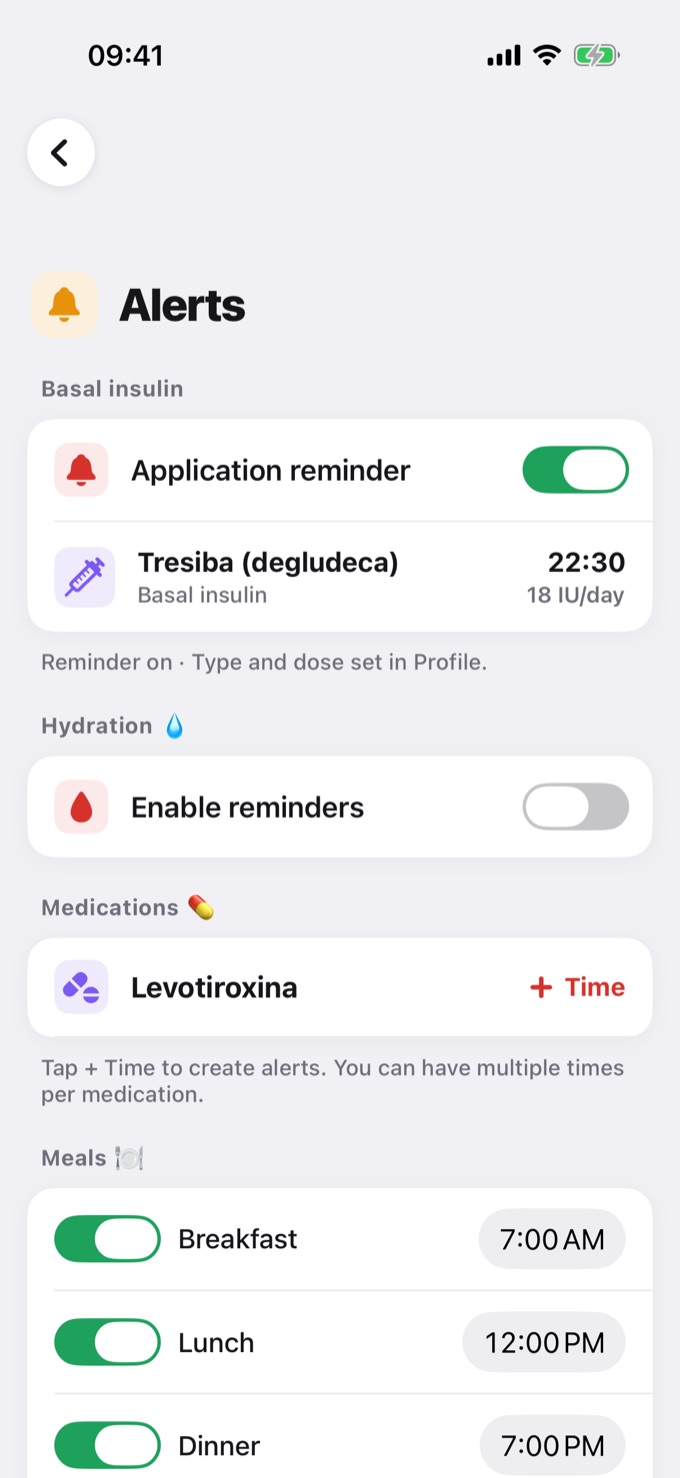
Basal insulin
Shows up when Use basal insulin is on in your Profile. Turn on Application reminder to be notified at your basal time. The type, dose, and time are set in your Profile.
Hydration 💧
Turn on Enable reminders to get reminders to drink water. Choose the Interval (every 1 to 4 hours) and the time window of the day.
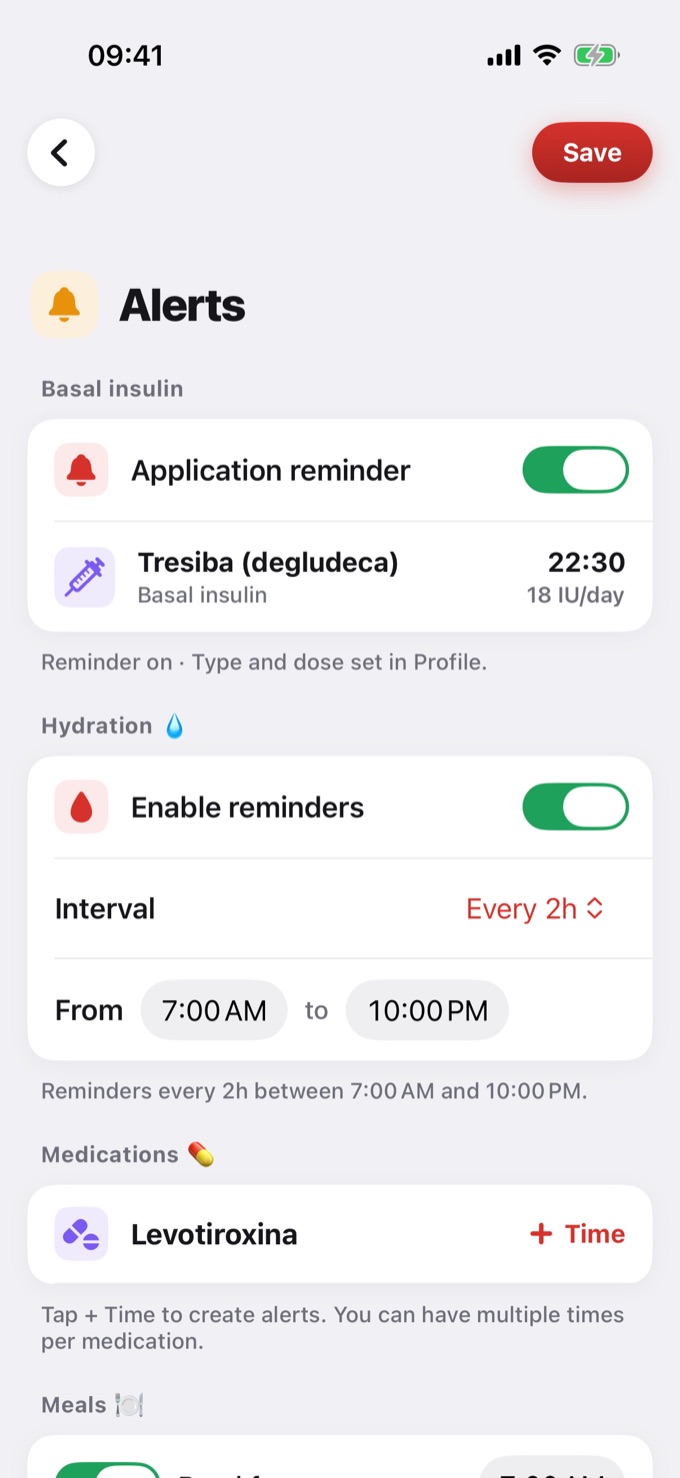
Medications 💊
The medications from your Profile are listed here. Tap + Time to create an alert. You can have several times per medication and turn each one on or off.
Meals 🍽️
Turn the breakfast, lunch, and dinner reminders on or off and tap the time to change it. Tap Add reminder to create another one, tap the name to edit it, and swipe to remove it.
One-time reminders ⏰
When you ask, in a New entry, to be reminded to measure again, the reminder shows up here until its time. Then it disappears on its own.
Saving
After changing something, tap Save at the top of the screen.
Free vs Pro
| Free | Pro |
|---|---|
| Hydration with a fixed interval and time window | Hydration with the interval and time window you choose |
| 1 medication alert | Unlimited medication alerts |
| 1 active meal reminder | Unlimited meal reminders |
⚠️ Tip: for medication alerts, add your medications first in Settings → Profile. For the basal reminder, turn on Use basal insulin in your Profile.