Export for AI
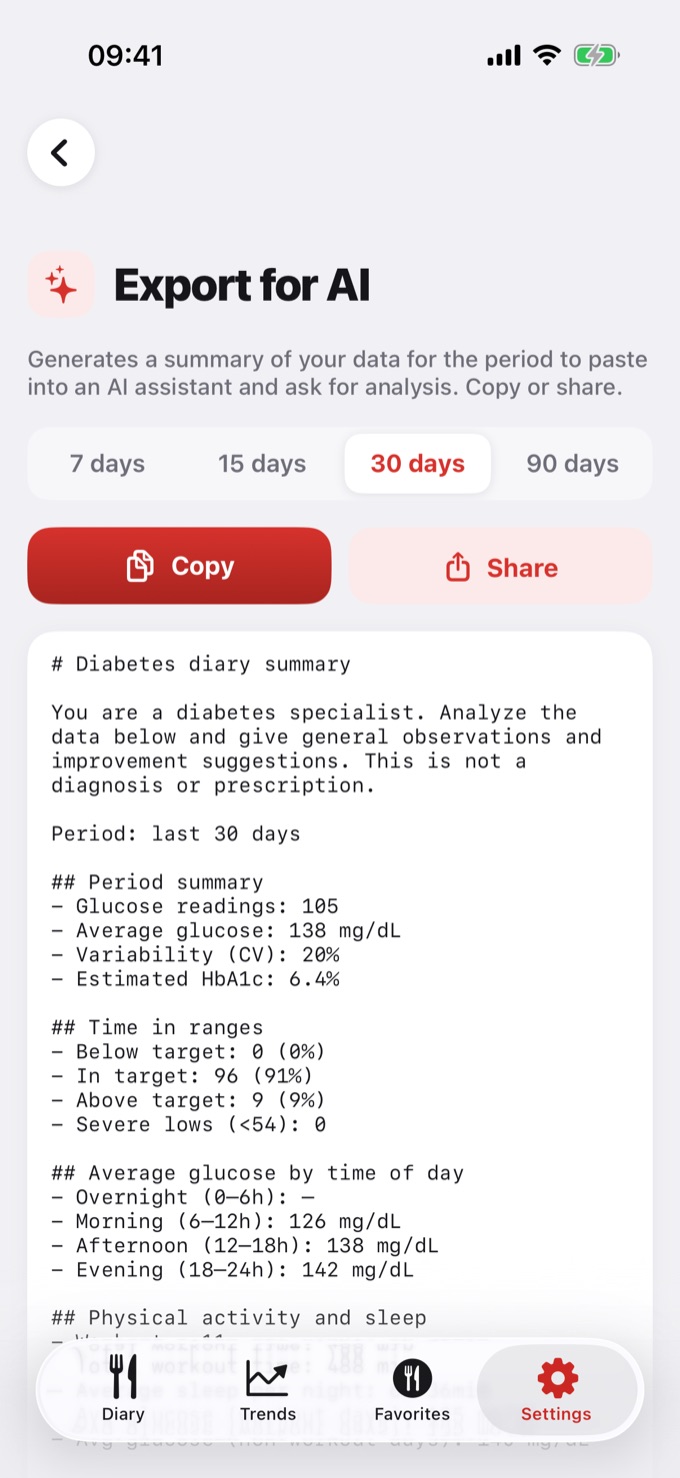
Export for AI is a Pro feature that creates a text summary of your data for a period (7, 15, 30, or 90 days), ready to paste into an AI assistant (such as ChatGPT or Gemini) to ask for general observations and suggestions.
What the summary includes
When there's data for the period, the summary brings:
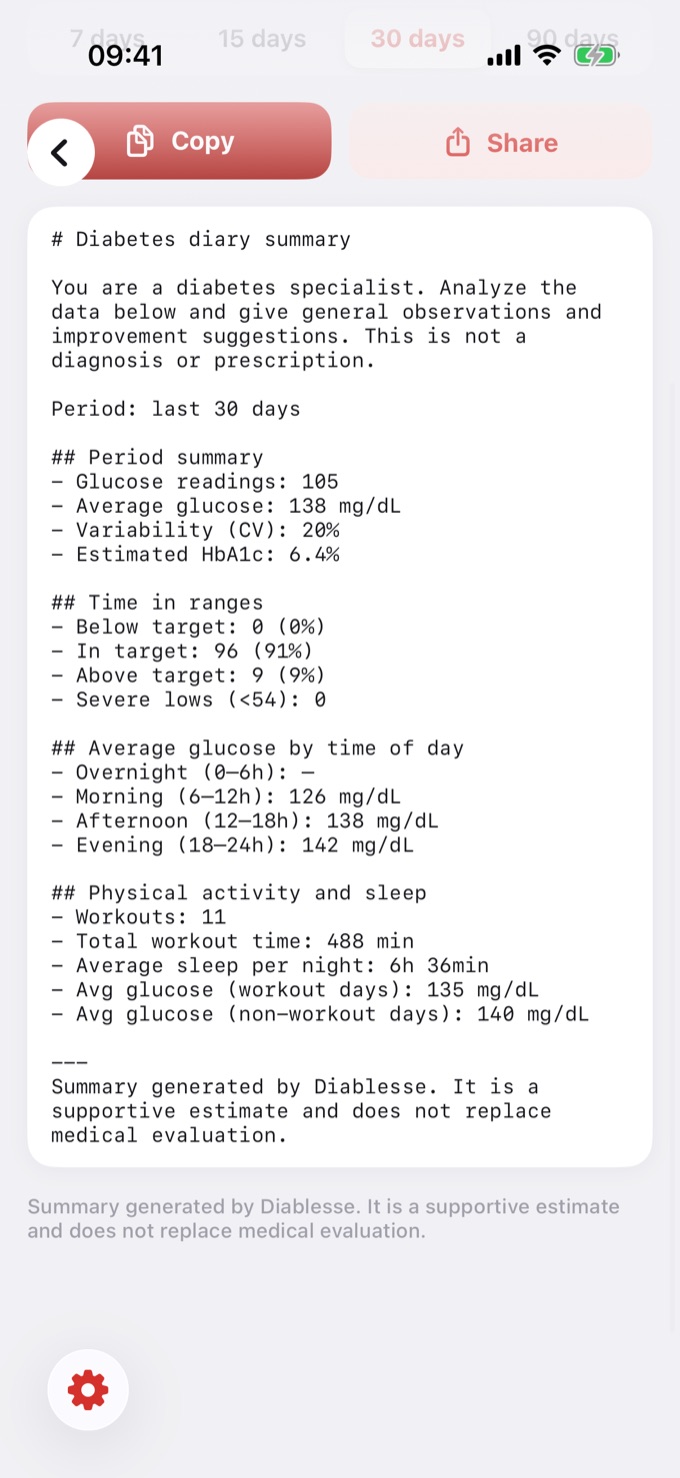
- Glucose: number of readings, average, variability (CV%), and estimated HbA1c
- Time in ranges: % low, in range, high, and severe hypoglycemia (< 54)
- Glucose by time of day: overnight, morning, afternoon, and evening
- Activity and sleep: workouts, time, average sleep per night, and the glucose × workout and glucose × sleep relationships
- An instruction at the top (for the AI to analyze) and a notice that it's support, not a diagnosis
How to use it
- Open Settings → Export for AI.
- Choose the period (7, 15, 30, or 90 days).
- Review the summary preview.
- Tap Copy or Share.
- Open your AI assistant, paste the text, and send. The analysis instruction is already included.
Privacy
- The summary is generated on your device. Diablesse does not send anything to AI servers.
- You decide what to do with the text — when you paste it into an assistant, that service's privacy rules apply.
- Avoid including data you don't want to share. The summary contains aggregated numbers, not personal data like your name or documents.
Important
⚠️ The summary and any AI response are support, not a diagnosis or prescription. They do not replace the evaluation of your doctor or healthcare team. If in doubt or with symptoms, seek care.
Frequently asked questions
Is it free?
No — it's a Pro feature. Backup / Export data (JSON) remains available to everyone.
What language is the summary in?
In the language set in the app.
Do I need internet?
Not to generate the summary. Only to use it in an online AI assistant.
Does it work on Android?
Yes, also as a Pro feature.
💡 Backup vs. Export for AI: Backup / Export (JSON) is the raw data, for storage or moving to another device (free). Export for AI is a curated, readable summary, built for analysis (Pro).